Sale Price:
€10.00
Original Price:
€20.00
Eastcamp Atlas
Find any file on any drive, even when it’s not plugged in.
Your footage, projects and archives are spread across a stack of external drives, and new cards come in every shoot.
Eastcamp Atlas offloads those cards safely and remembers what’s on every drive. Scan a drive once, put it back on the shelf, and search everything on it whenever you need to.
Features
Search offline. Find any project, folder, file name or tag across all your drives in an instant, connected or not.
Backups and duplicates. See what’s backed up and what exists on only one drive. Copy unprotected work to another drive and send duplicate copies to the Trash.
Change reports. When you reconnect a drive, Atlas updates its snapshot and shows what was added, removed or moved. It warns you when something is gone with no other copy.
Space and speed. Check free space on every drive, tell SSDs from HDDs, and measure real read and write speeds.
Tags and notes. Label projects and drives (“delivered”, “shelf B”) and find them by tag.
New in Atlas v2
Transfer. Plug in a camera card and Atlas offers to offload it. You see what’s on the card and which clips are already on your drives, so you can copy only what’s new. Atlas sets up the project, Footage and Card 01 folders for you, copies the files and checks every one against the card by checksum. Then it tells you plainly: safe to format, or not yet and why.
Two copies at once. Write a second copy to another drive in the same pass. Pick each drive from a tile that shows its free space, type and measured write speed. Drives without enough room are greyed out.
Several cards in parallel. Start the next card while the last one is still copying. Each transfer has its own progress, speed and time left.
A catalog on every drive. Each drive carries a small hidden catalog of its own files, tags and notes. Plug it into another Mac with Atlas and it’s searchable straight away, with no scan, along with a report of what changed.
Private by design
Atlas never changes or deletes your files unless you ask it to. Cards are only read, and a transfer never overwrites anything that’s already there. The only thing Atlas adds to a drive is its small catalog file, which holds nothing about you or your Mac, and you can switch it off. Your catalog stays on your own computers. Nothing is sent anywhere.
Requirements
A Mac with Apple silicon (M1 or later) running macOS 26 or later.

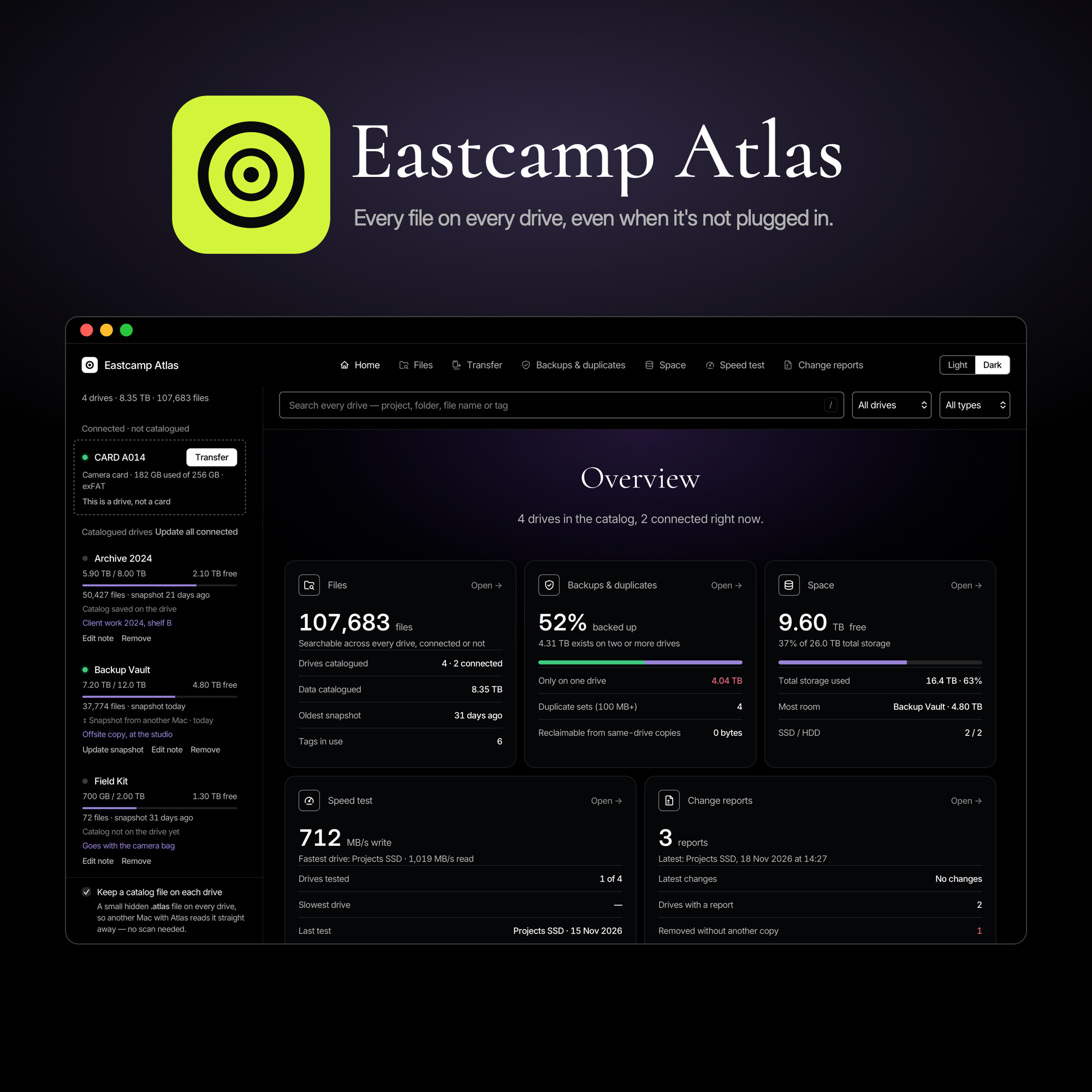 Image 1 of 8
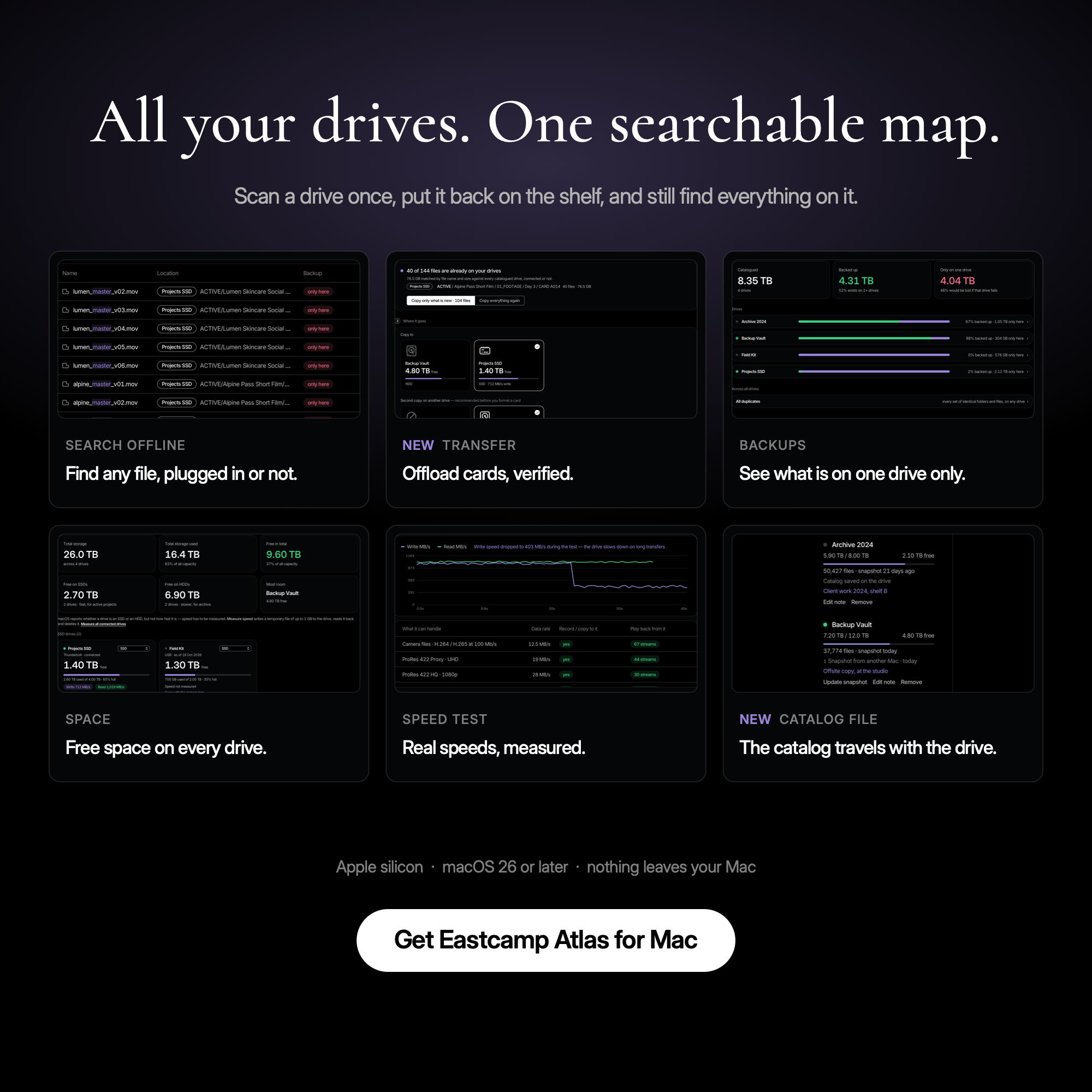 Image 2 of 8
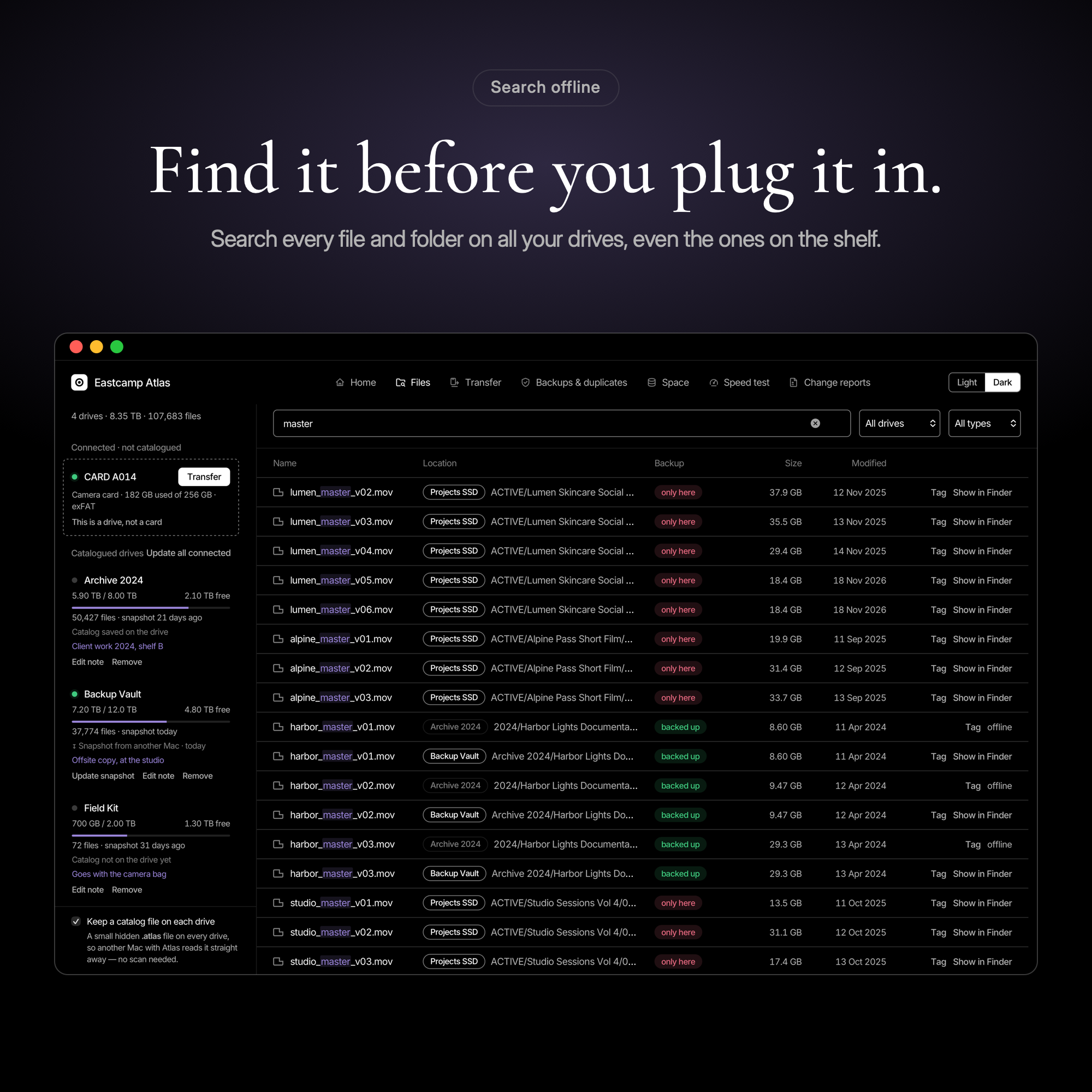 Image 3 of 8
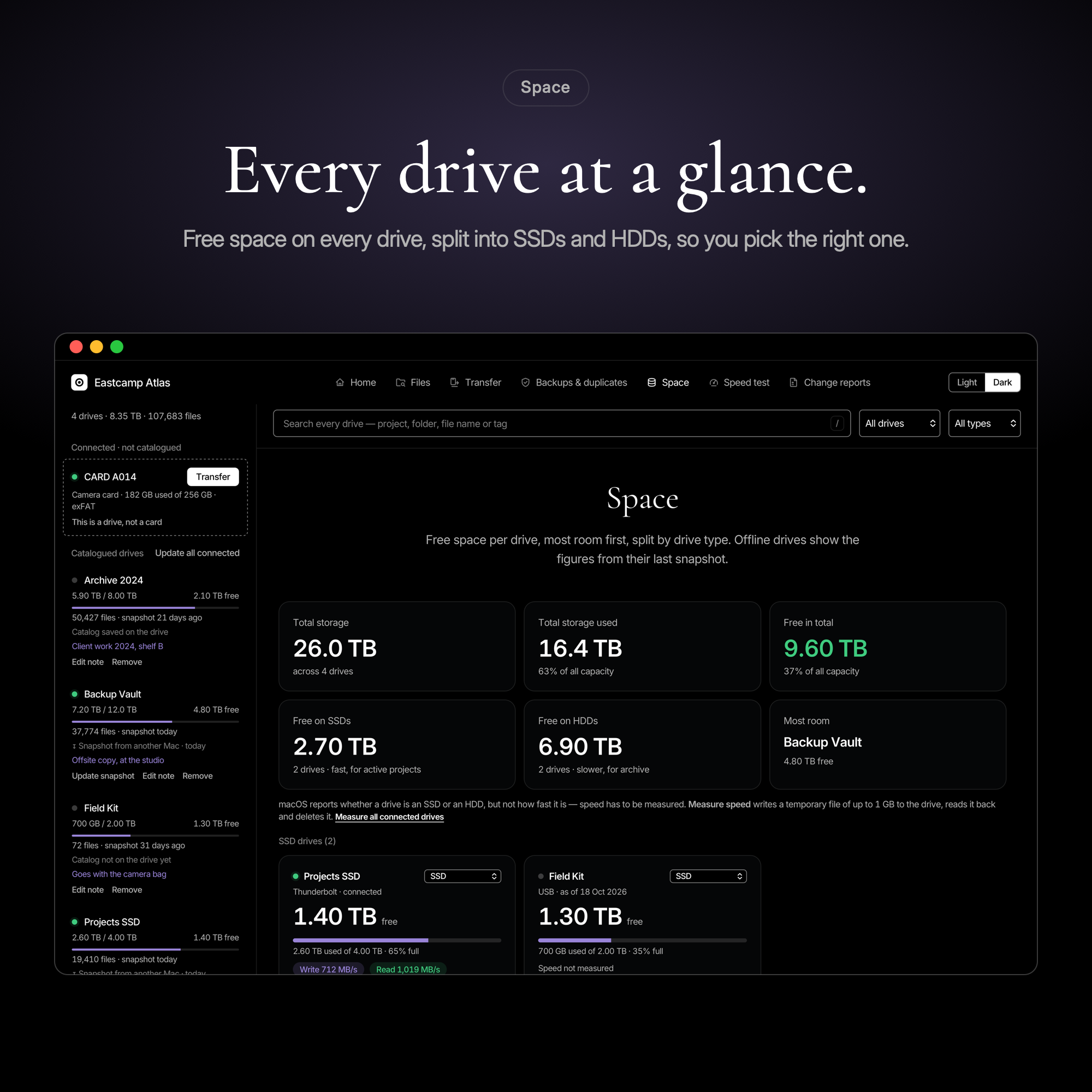 Image 4 of 8
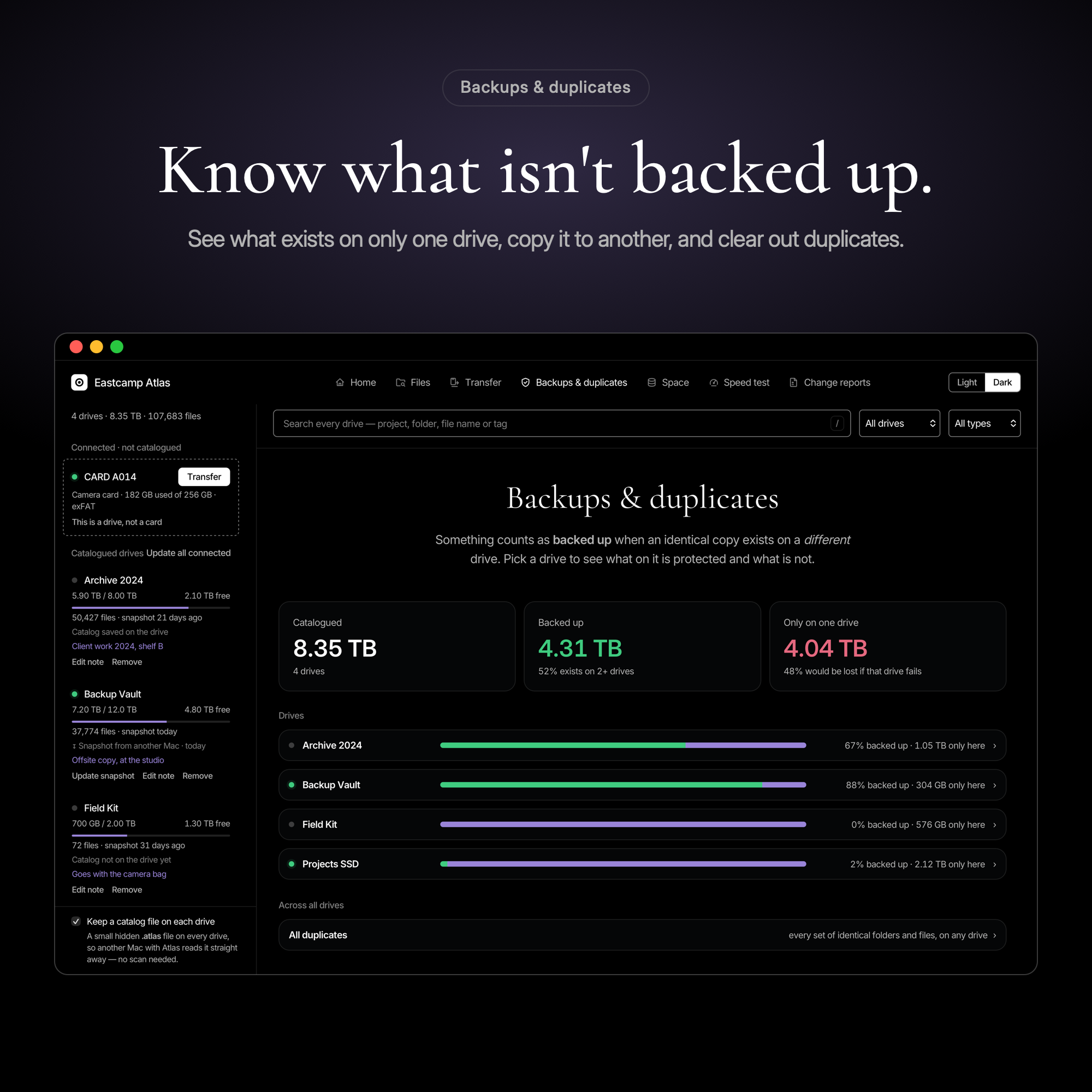 Image 5 of 8
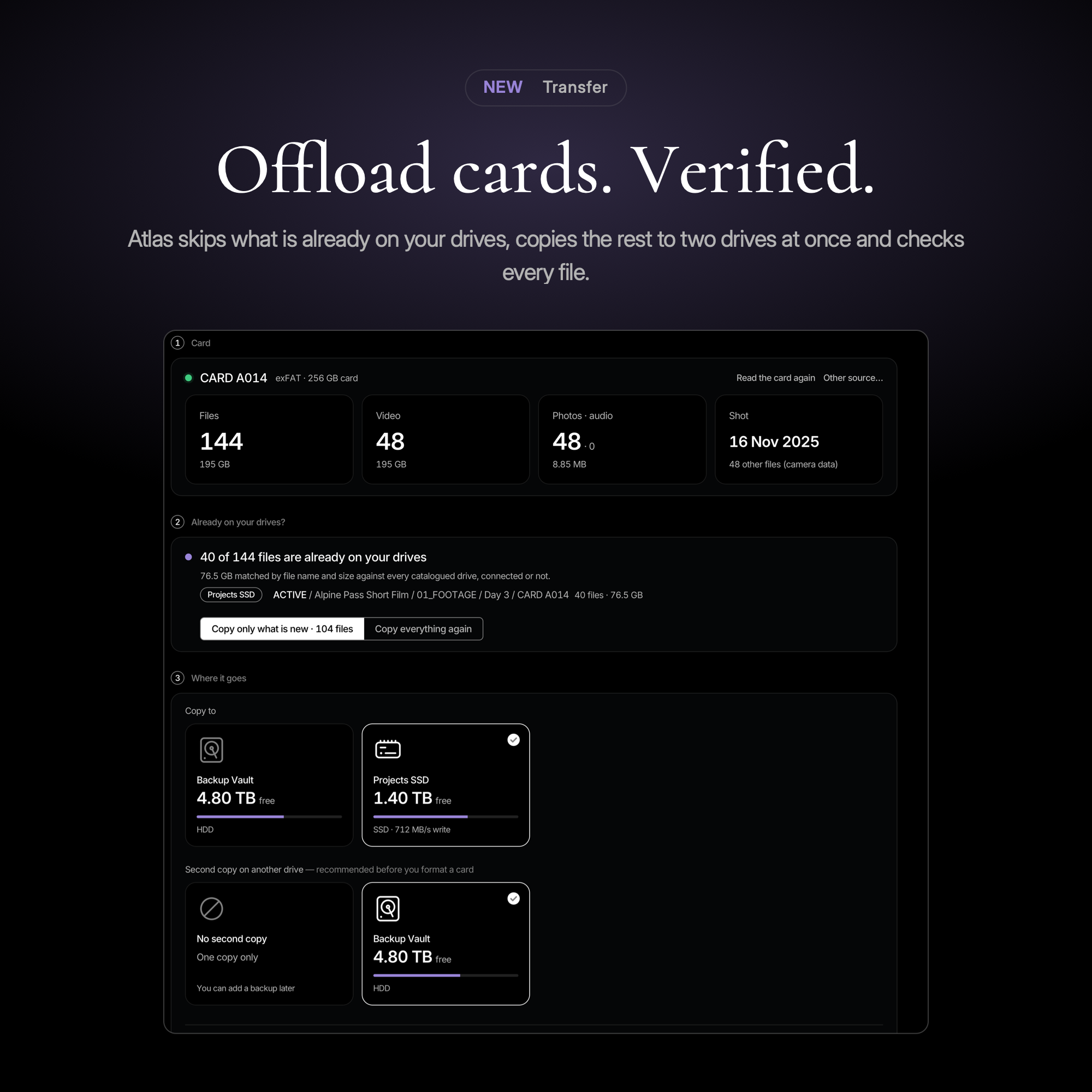 Image 6 of 8
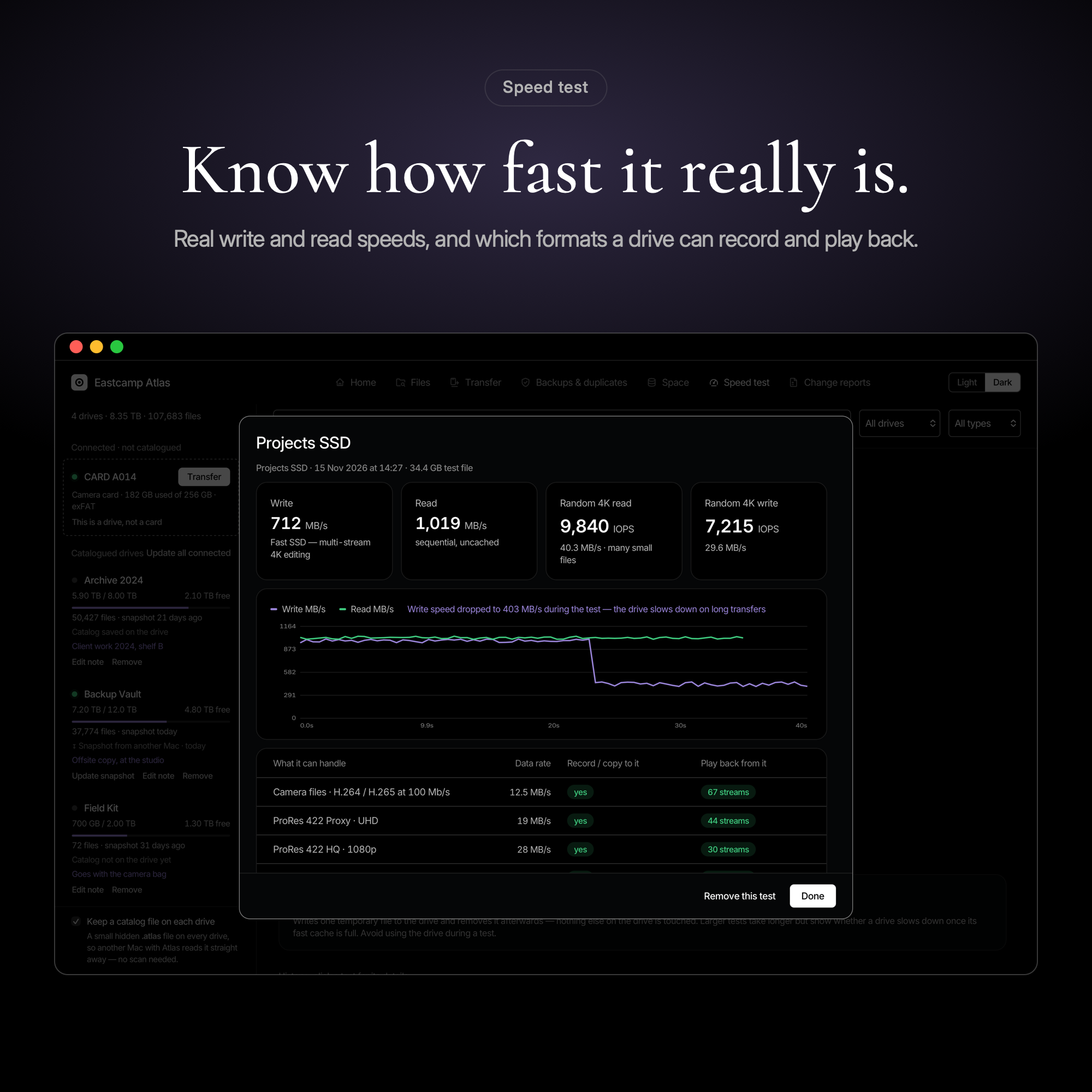 Image 7 of 8
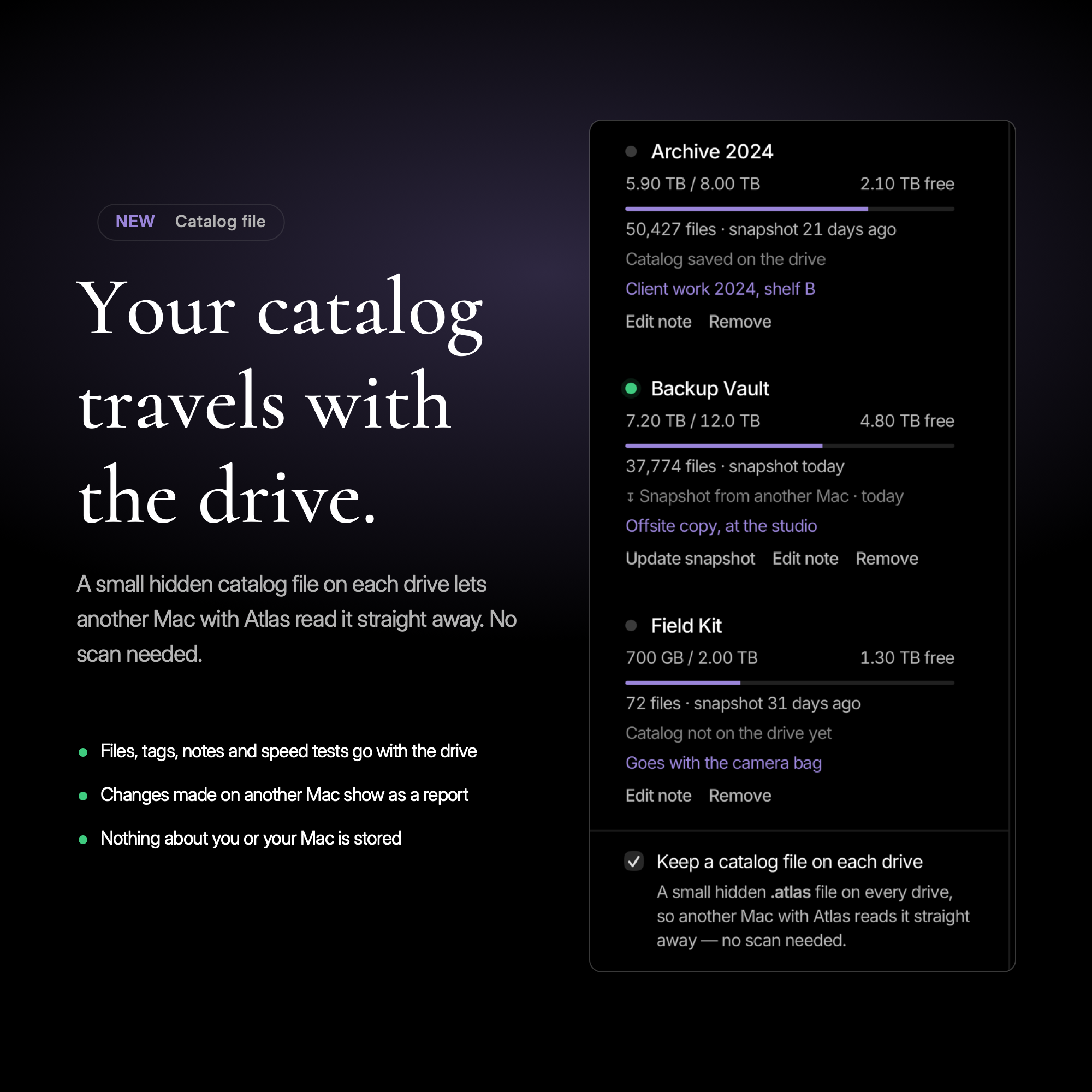 Image 8 of 8